Device discovery
Automatically find OSDP devices on a serial connection, or connect directly when you already know the settings.

Access control panels often lack good tools for managing their OSDP devices. OSDP Bench fills that gap: discover readers, watch card reads and bus traffic in real time, and configure devices right from a laptop or phone.


Automatically find OSDP devices on a serial connection, or connect directly when you already know the settings.
See card reads, keypad entries, and device status as they happen.
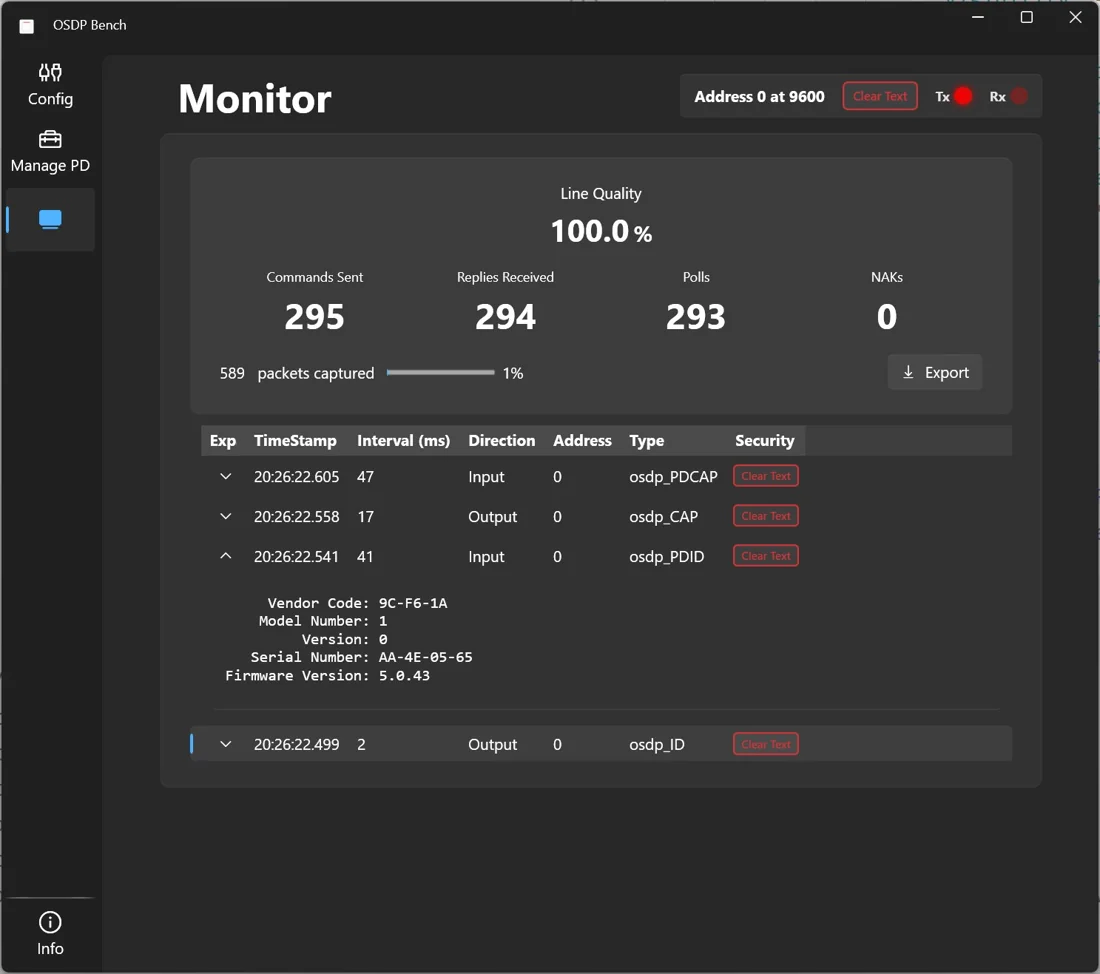
Watch OSDP traffic between a panel and its devices without taking part in the conversation.
Set LEDs, buzzers, and communication parameters such as address and baud rate.
Send files to OSDP devices for firmware updates and configuration.
Inspect every OSDP packet in detail, then export captures for offline analysis and sharing.
Plug an RS-485 adapter into the bus and pick its serial port in OSDP Bench.
Choose Discover to find devices automatically, or Manual to connect with known settings.
Watch device activity, trace packets, and change settings on the spot.
OSDP Bench's core is open source under the Apache 2.0 license to help increase the adoption of OSDP. A fully functional version can be built from source at no cost, and OSDP hardware vendors are encouraged to use it to speed up development of their own OSDP tools.
Available for Windows from the Microsoft Store and for Android from Google Play.